---
metadata:
  - name: generator
    content: Diplodoc Platform v5.66.1
alternate:
  - https://yandex.com/support/partner/en/technologies/smart-design.md
  - https://yandex.com/support/partner/ru/technologies/smart-design.md
  - href: https://yandex.com/support/partner/en/technologies/smart-design.md
    type: text/markdown
    title: Markdown version
  - href: https://yandex.com/support/partner/en/llms.txt?revision=r22046297
    rel: describedby
---
> **Documentation Index:** Fetch the complete configuration index at https://yandex.com/support/partner/en/llms.txt?revision=r22046297

# Smart Design technology

Smart Design is a proprietary Yandex Advertising Network technology powered by machine learning. It automatically builds ads with various extensions — such as sitelinks or the app store rating.

When a user arrives at a site, the Smart Design algorithm instantly analyzes information about the user, the site, and data from the advertiser to create the optimal ad layout. The algorithm can decide to swap an image for a video, to add more sitelinks, or to include a button or text. As a result, all ads designed by the Smart Design algorithm will look unique. For example:

![](../_images/vertical-ads.jpg)

Advertisers can embellish their ads with various additions via Yandex Direct. At the same time, Smart Design adds things that would make sense for a particular user on a specific site at the moment of the impression.

If a certain ad format is updated with new additions, you don't have to manually configure anything or re-embed your ad code. Smart Design technology takes care of all updates automatically.


<!-- source: en/_includes/feedback-forms/interface-buttons.md -->
## Contact support


<details>
    <summary class="button">Write to WhatsApp</summary>
    <div class="container-gallery">
        <table>
            <td width="200px"><img src="https://yastatic.net/s3/doc-binary/src/support/partner/ru/files/qr-code-en-whatsapp.svg" style="width: 200px; display: block;"/>
            </td>
            <td style="padding-top: 30px;">
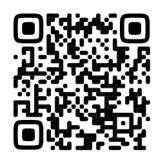
                <p><b>Scan the QR code.</b></p>
                <p>WhatsApp is a third-party channel for communication with Yandex. We do not control and are not liable for how WhatsApp stores your data and chat history. Please keep this in mind when choosing WhatsApp to contact support.</p>
            </td>
        </table>
    </div>
    <div class="container-gallery-mobile">
        <p>WhatsApp is a third-party channel for communication with Yandex. We do not control and are not liable for how WhatsApp stores your data and chat history. Please keep this in mind when choosing WhatsApp to contact support.</p>
        <a href="https://wa.me/74952583554?utm_source=yan&utm_medium=help&utm_campaign=en" style="display: block; text-align: left; margin-left: 18px; color: #5889FF;">Go to WhatsApp</a>
    </div>
</details>

<details>
    <summary class="button">Write to Telegram</summary>
    <div class="container-gallery">
        <table>
            <td width="200px"><img src="https://yastatic.net/s3/doc-binary/src/support/partner/ru/files/qr-code-en-telegram.svg" style="width: 200px; display: block;"/>
            </td>
            <td style="padding-top: 30px;">
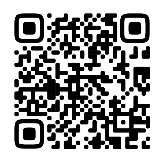
                <p><b>Scan the QR code.</b></p>
                <p>Telegram is a third-party channel for communication with Yandex. We do not control and are not liable for how Telegram stores your data and chat history. Please keep this in mind when choosing Telegram to contact support.</p>
            </td>
        </table>
    </div>
    <div class="container-gallery-mobile">
        <p>Telegram is a third-party channel for communication with Yandex. We do not control and are not liable for how Telegram stores your data and chat history. Please keep this in mind when choosing Telegram to contact support.</p>
        <a href="http://t.me/YanSupport_Bot" style="display: block; text-align: left; margin-left: 18px; color: #5889FF;">Go to Telegram</a>
    </div>
</details> 

<a href="https://yandex.ru/chat?context=%7B%22entrypoint%22%3A%22%7B%5C%22entrypoint%5C%22%3A%5C%22help%5C%22%2C%5C%22a_pagename%5C%22%3A%5C%22partner-en%5C%22%7D%22%7D#/user/00155607-f40f-9af8-7910-84a29fd95914" target="_blank" rel="noreferrer"> <!--ссылка, куда ведет кнопка. Если внутренняя ссылка, пишем без .md и .html -->
  <span class="button">Write to chat</span> <!--текст на кнопке-->
</a>


<a href="https://forms.yandex.com/surveys/10014686/?lang=en"> <!--ссылка, куда ведет кнопка. Если внутренняя ссылка, пишем без .md и .html -->
  <span class="button">Send an email</span> <!--текст на кнопке-->
</a>


<!-- source: en/_includes/feedback-forms/button-style.md -->

<!-- endsource: en/_includes/feedback-forms/button-style.md -->

<div width="100%" align="center"> 
<br><br>
You can also go to
<br><br>

[![](https://yastatic.net/s3/doc-binary/src/support/mobile-ads/en/logo/rsya.svg)](https://partner.yandex.com)

</div>

<div><br><br></div>
<div class="page-container" style="padding: 0;">
  <div class="column">
      <p style="font-size: large;">Useful links</p>
      <ul>
         <li><a href="https://t.me/YANpartner/" target="_blank">Yandex Advertising Network Telegram channel</a></li>
         <li><a href="https://yandex.ru/legal/partner/" target="_blank">Rules of participation</a></li>
         <li><a href="https://yandex.com/legal/yan_service_offer/" target="_blank">Yandex Advertising Network Terms of Offer</a></li>
      </ul>
  </div>   
</div>
<div><br><br></div>


<!-- endsource: en/_includes/feedback-forms/interface-buttons.md -->