System player
Items 1.6.1.6 and 1.6.2.5 of the Game Requirements
The system player triggered by the game doesn't appear in any browser.
The browser's system player allows you to control sound and video. To check the game, moderation launches it on mobile devices and desktop (for checking on a computer, make sure the player is enabled).
Disabling the system player
The system player appears when the browser detects playback via the <audio> or <video> HTML elements. To avoid this, use the Web Audio API — it works directly with the audio context and doesn't register a media session in the browser.
A typical scenario for playing sound via the Web Audio API:
- Create an audio context:
const ctx = new AudioContext(). - Load the audio file via
fetch()and decode it using ctx.decodeAudioData(). - Create a sound source —
AudioBufferSourceNode— and connect it to the context output:source.connect(ctx.destination). - Start playback:
source.start().
For more information about the Web Audio API, see the MDN documentation.
Checking on mobile devices
Launch the game. Then swipe down on the screen to open the notifications panel. Make sure that:
- There is no player.
- There is a player, but it's triggered by sound from another tab or application.
Checking on desktop
Enabling the player
-
Enable the system player in the browser settings.
Enable player in Yandex Browser
To enable the system player in Yandex Browser, in the upper right corner, select → Settings → Interface → General and enable the option Show a music and video control button on the toolbar.
Read more about the player in the Browser Help.
-
Make sure the player works. To do this, play a video or music in the browser, for example, a Unity video tutorial.
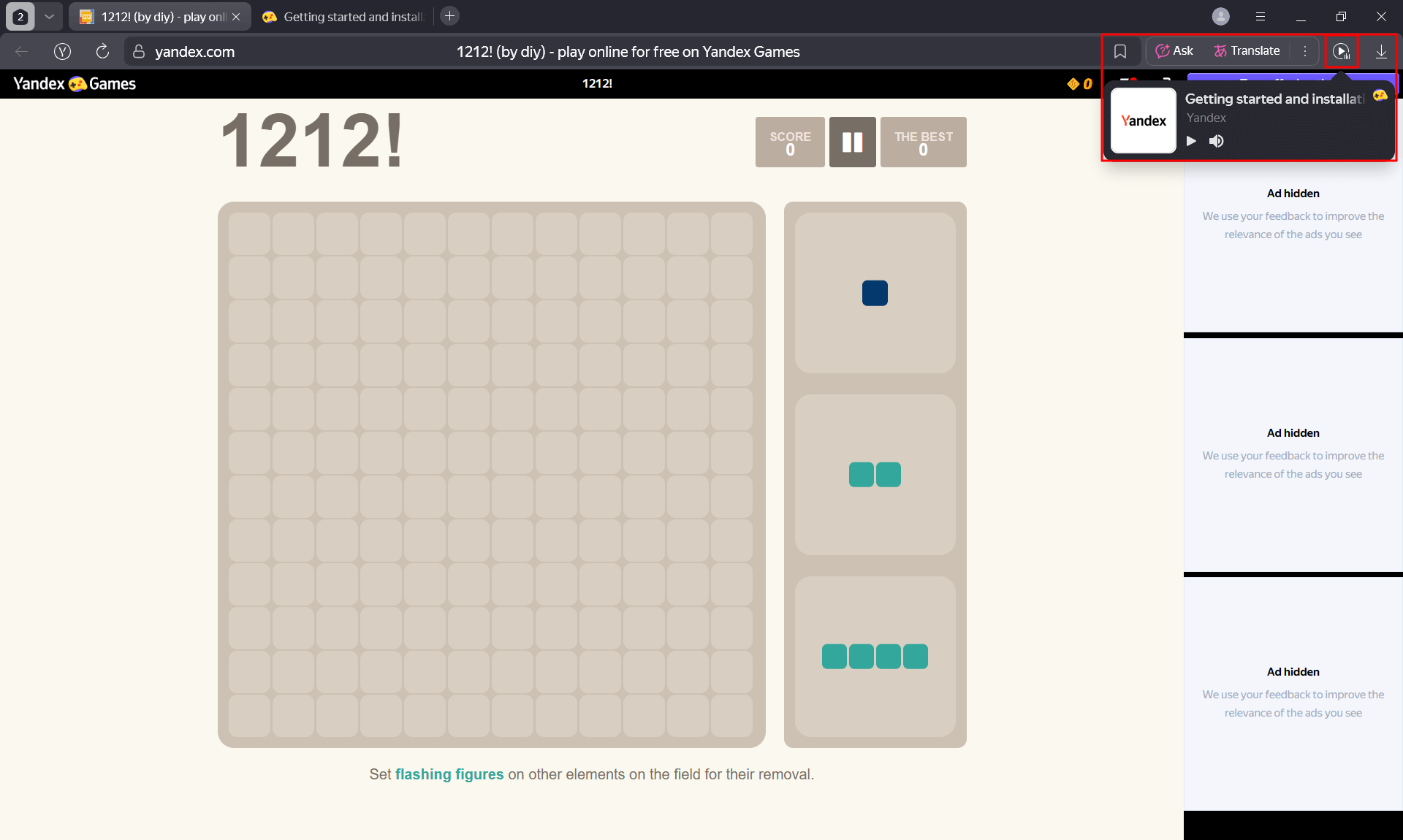
If the system player is configured correctly, the corresponding icon will appear in the upper right corner of the browser:
- Google Chrome —
- Yandex Browser —
Note
If you have the sidebar enabled in Yandex Browser, the icon may be located on it.
Checking
If the player is already enabled, open the game and make sure that:
- There is no player.
- There is a player, but it's triggered by sound from another tab or application (to check this, click on the player icon).
Example of a correctly configured game