Text localization
One of the core features of this plugin is the automatic text translation system.
To use it, prepare translations in JSON format so you can apply them in your projects. In most cases, you can localize your game without adding any new code.
Creating translation files
To localize the game, prepare JSON translation files:
- In the
Filesdirectory, create a folder namedi18n. - In the created folder, create JSON files and name them with the appropriate language codes in ISO 639-1 format.
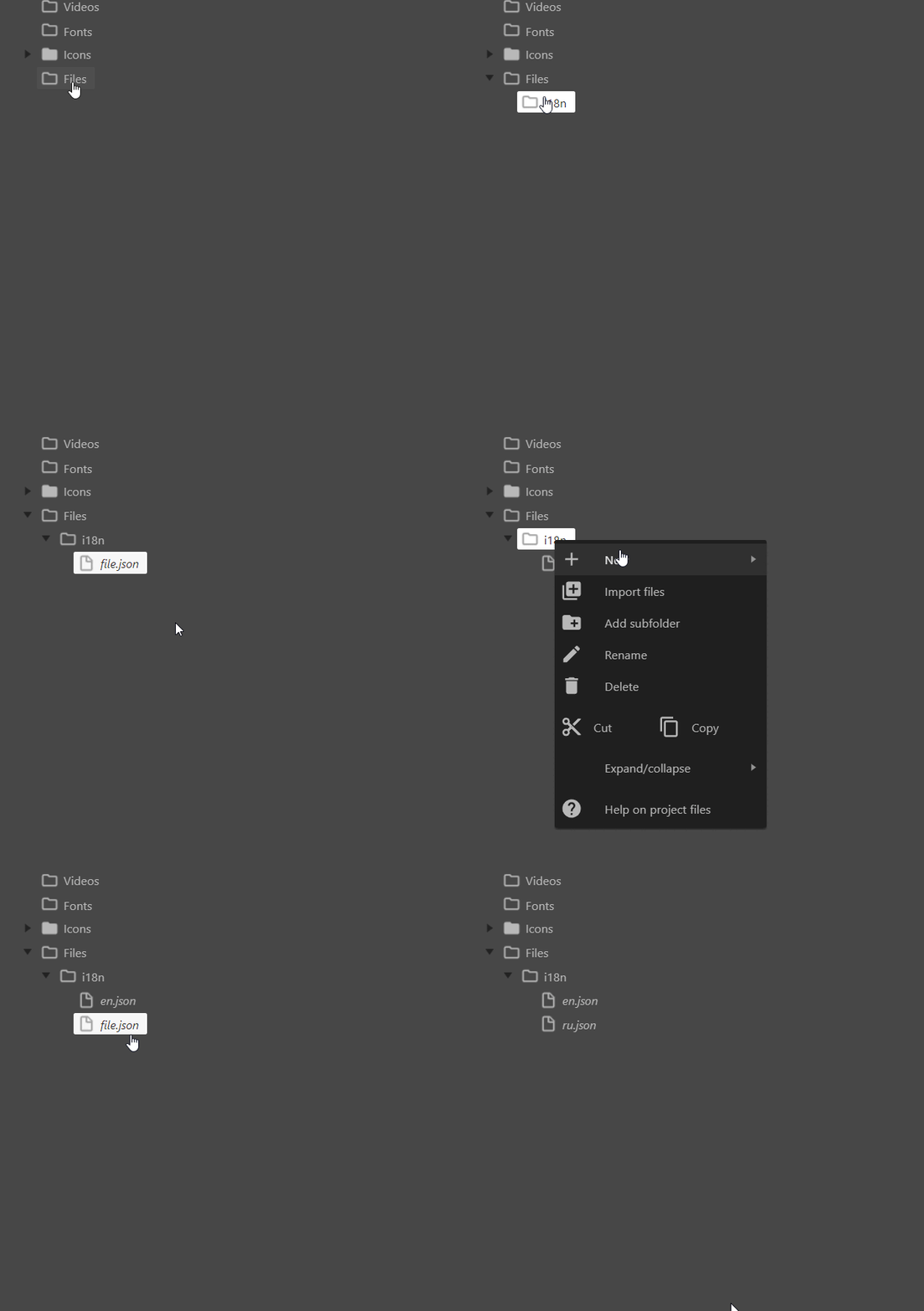
As an example, let's create en.json and ru.json files with the following content:
1{
2    "game": {
3        "title": "First Fantasy 10"
4    },
5    "potions": {
6        "health": "Health Potion",
7        "mana": "Mana Potion"
8    }
9}
1{
2    "game": {
3        "title": "Первая Фантазия 10"
4    },
5    "potions": {
6        "health": "Зелье жизни",
7        "mana": "Зелье маны"
8    }
9}
These English and Russian translation files can be used in the project.
Usage in layouts
Next, to use our translations, let's create a text object in the layout and give it the value {game.title}.
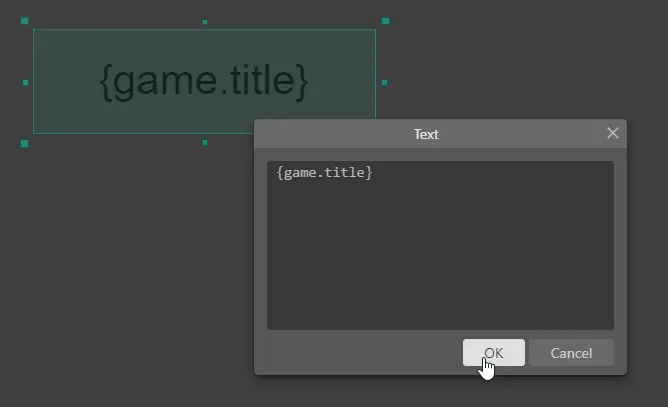
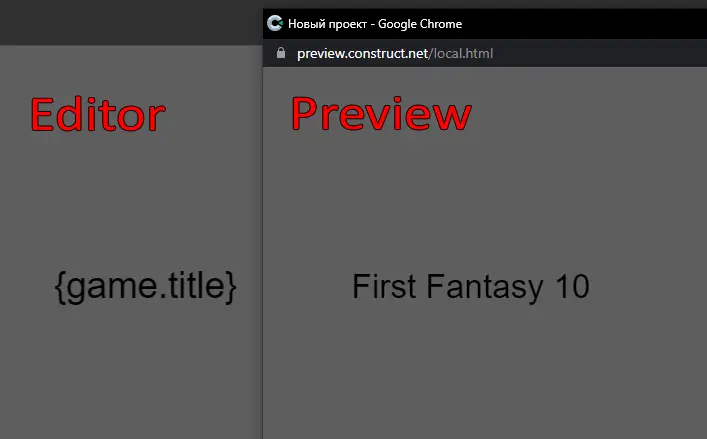
To test the translation, click the Play button (preview). In the Preview window, the text will change to "First Fantasy 10". This happens because the automatic localization system can replace text inside Text, Texture Font, and Adaptive Text objects.
Usage in events
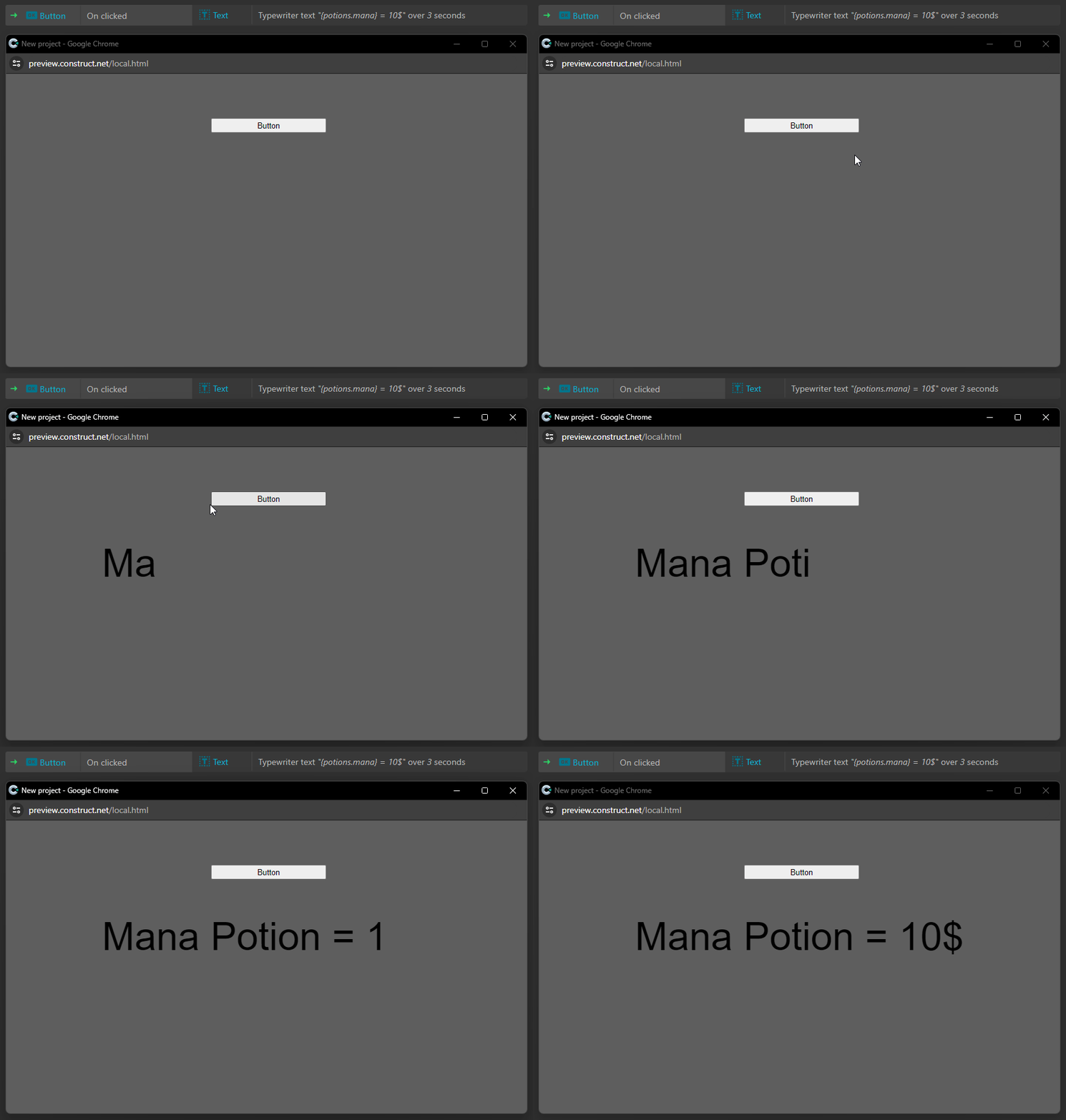
You can also use translation keys in native Construct 3 events and more.
The automatic localization system can replace {potions.mana} with "Mana Potion" even during gameplay when it changes.
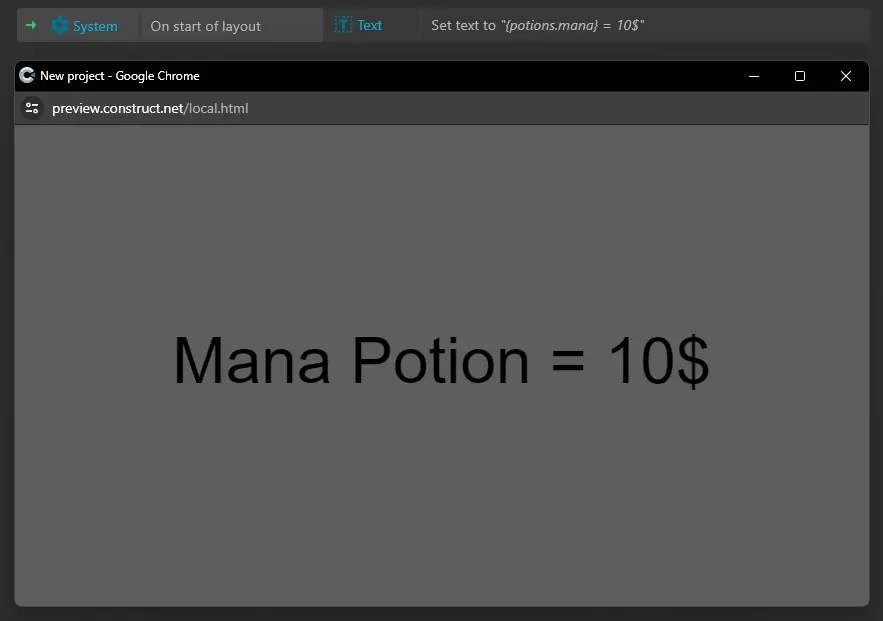
You can use not only Set text; you can change the text however and whenever you want.
For example, you can run a text typing animation when a button is pressed.